
Walk Through Your Floor Plan in VR
Step inside your floor plan
Many renovation issues are obvious the moment you are standing in the space. But by that point, the decisions have already been made. A flat plan, or even the most beautiful 3D render, cannot show you how a hallway will feel to walk through, whether an island will dominate a kitchen, or whether the furniture you have planned will actually fit the way you pictured it.
VR can. At 1:1 scale, immersed in your actual layout, the things that are wrong become immediately, unmistakably clear. Make sure that moment happens before you start your build, not after you have finished it!
Working on a floor plan specifically? See what it takes to walk it in VR , from drawing to headset.
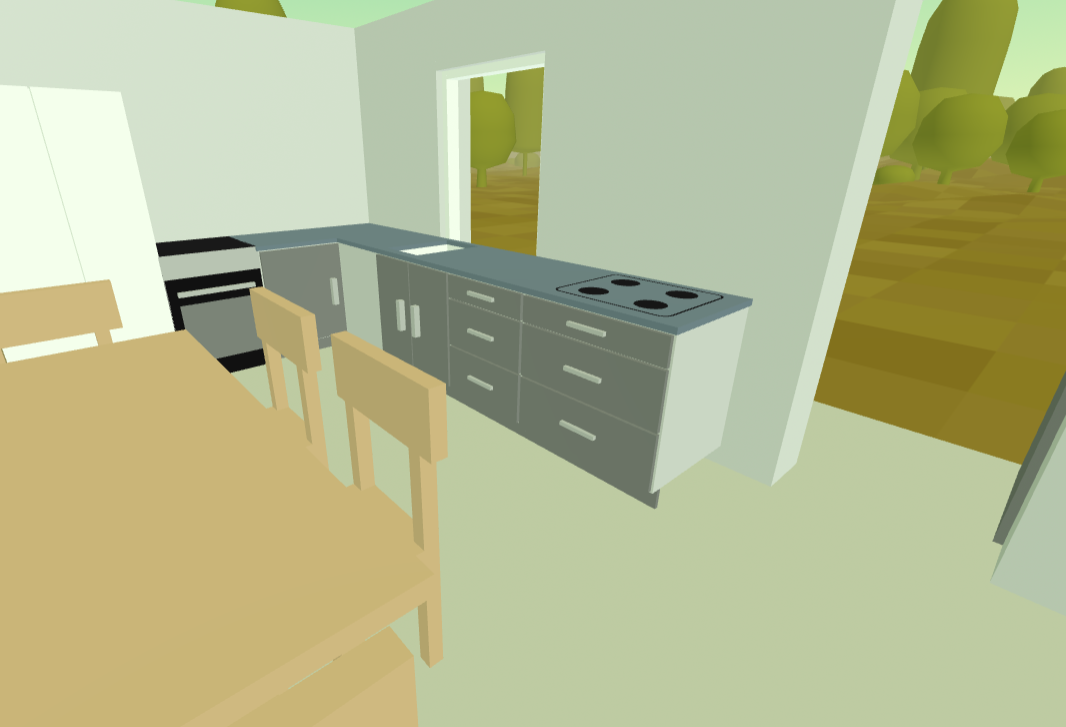
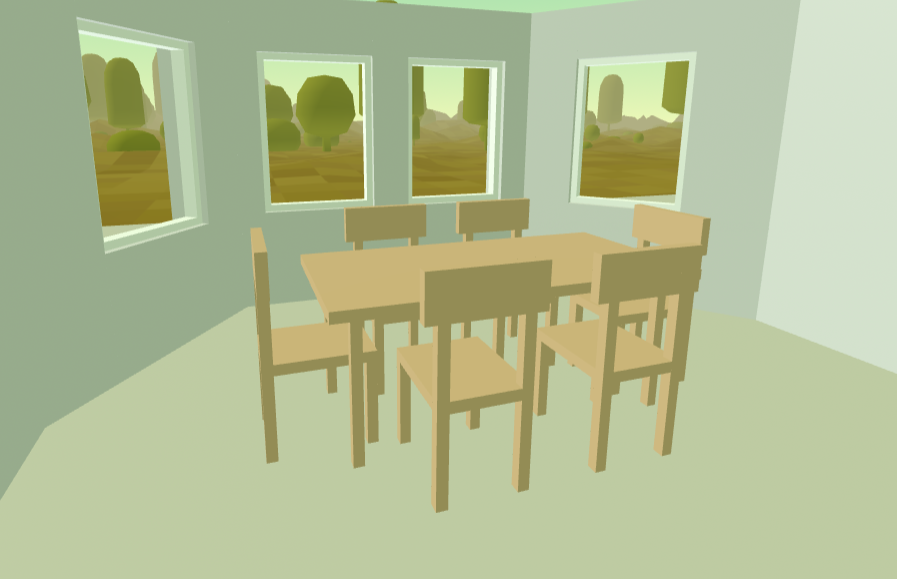
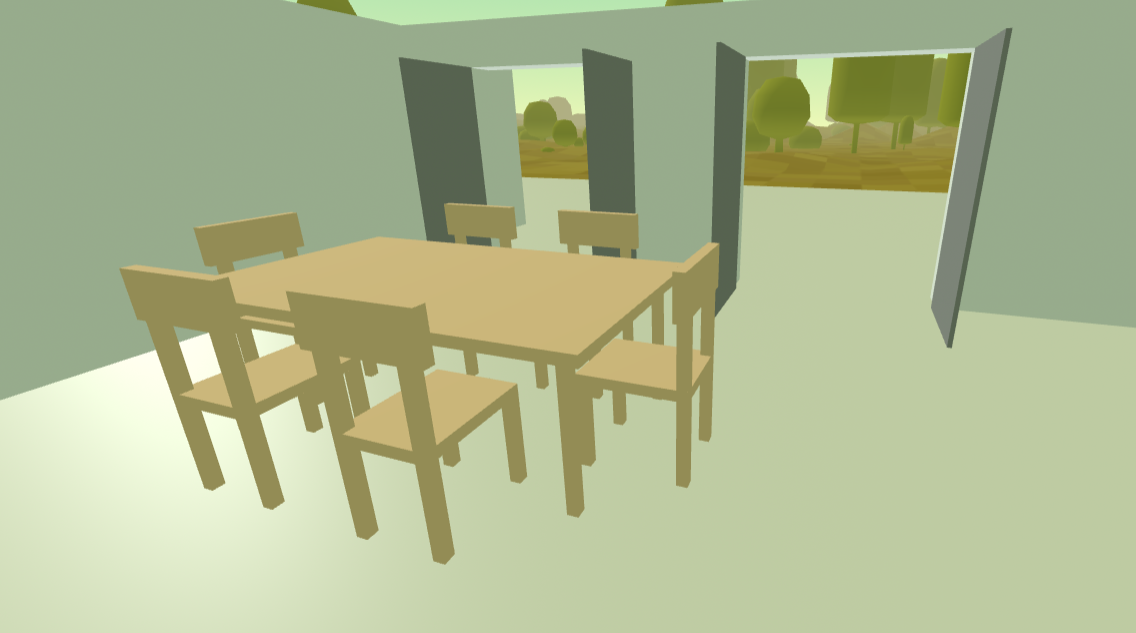
Simple visualization - generated instantly
The visuals in our VR walkthroughs are not photorealistic — but all the necessary elements are there: walls, floors, furniture, spaces. In VR, what gives you a genuine sense of scale and proportion — how wide the hallway actually feels, whether the kitchen will seem cramped, how the spaces connect — is the geometry, not the surface finish. Simple geometry delivers that completely. And it loads instantly on any headset.
One-click 3D view
Click the 3D button in SimpleDraw and walk through your floor plan instantly in any desktop browser. No headset, no setup. A useful first look at your design before you step into full VR.
Immersive VR
Put on a VR headset and step inside your floor plan at 1:1 scale. Works with Meta Quest 2, 3S, 3 and Pro, Apple Vision Pro, Pico 4, HTC Vive, and any WebXR-compatible headset. No app download required.
Furniture in 3D
Walls and furniture from your floor plan render in 3D, so you can see exactly how your space will look and feel — and whether that island really fits the way you imagined it.
Try before you subscribe
Visit the Gallery and open any VR-enabled drawing for free — no account or subscription needed. Get a feel for the experience before you commit.
Browse the GalleryVR Walkthroughs are part of SimpleDraw Plus. No hidden costs. Cancel any time. Compare all plans.
What if I don't have a VR headset?
You don't need one to get started — but if you're serious about your renovation project, it's worth considering either buying or renting one.
The full experience: VR
Being physically present inside a room — sensing its scale, feeling whether a doorway is tight, understanding how light will fall — is something no flat view or 3D render on a screen can replicate. For any decision that matters, it is worth experiencing.
The good news: VR headsets are far more affordable than most people expect. You can buy a refurbished Meta Quest 2 for around $150, or a new Quest 3S from $299. Or you can rent a headset for a day or two if you only need it at one or two decision points in a project (rentals can cost as little as $15-25).
Choosing a VR headset — what to look for and how to get one affordablyAlso works on desktop
The 3D walkthrough works in any browser with no headset at all. It's a useful way to check your design is in good shape before the headset arrives — especially if you're renting and only have it for a day or two. Get your floor plan ready first, then make the most of the time you have in VR.
Opening the walkthrough on your headset
There are two ways to get a SimpleDraw walkthrough onto your headset.
Meta Quest with a Meta account
If you have your own Meta Quest headset, and can log into the associated Meta account on your computer, SimpleDraw has an "Open on Meta Quest" button that sends the walkthrough link directly to your headset. No typing, no browser navigation.
Any headset via the headset's browser
Every major VR headset has a built-in browser. Using that browser, navigate to simpledraw.app/live and follow the on-screen instructions. This works with any headset — including borrowed or rented ones.
How to open the browser on your VR headsetVR and AR: we're just getting started
The technology to build genuinely transformative VR and AR features for home renovation is already sitting in your headset. The baseline is there — many of these features are closer to reality than you might think.
We are still working on timelines and priorities for these features — but if any of this excites you, get in touch and let us know. What gets built next is going to be shaped by the people who ask for it.
Richer VR walkthroughs
- More furniture and configuration options — kitchen island overhangs, adjustable worktop heights, and more
- Custom materials for floors, walls and worktops
- Windows and doors with configurable height, shape and style
- Ceilings, voids, skylights and sloping profiles
- Garden and deck contexts — plants, capped walls, decking, outdoor furniture and more...
Augmented Reality
- Place virtual furniture in your actual room using your headset's passthrough camera. See how a sofa or island fits before you buy it
- Visualize proposed wall, window and door changes overlaid on your existing room
- Depth sensor room scanning (Quest 3) to auto-generate a floor plan outline
Project Drawings into your Space
- Project any scale drawing onto your floor or wall as a stencil — useful for setting out stud walls, marking cabinet positions, or any task where a to-scale reference on a real surface helps
- Save hours of time and effort spent marking out walls with a tape measure and spirit level
- Hand tracking controls for AR template positioning, so you can keep your hands free to use your tools
Join the Discord to talk about what matters most to you, or join the waitlist to be notified when AR features ship.
Frequently Asked Questions
Common questions about SimpleDraw's VR floor plan walkthrough
Ready to walk through your floor plan?
Get SimpleDraw PlusReady to walk through your floor plan in VR?
The 3D and VR walkthrough is part of SimpleDraw Plus — from $5 USD for 3 months, or $10 for a full year. For the price of a sketchpad, a pen and a ruler.
No hidden costs. Cancel any time.