
VR Floor Plan
Walk Through Your Design Before You Build It
Works on Meta Quest 2, Quest 3, Quest 3S and most other popular VR headsets.
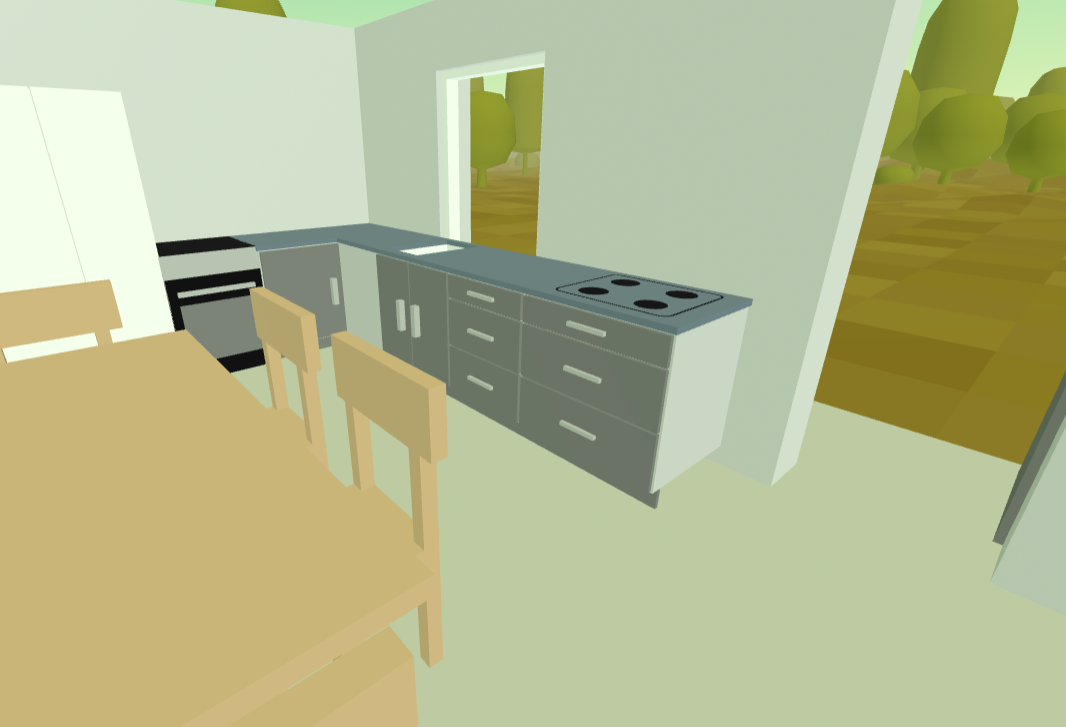
Your plan, at full size, from the inside
One click puts your floor plan into your VR headset. The walkthrough is generated from the plan you have already drawn, so the walls are where you put them and the rooms are the size you made them.
Standing inside it, at 1:1
In a headset you are physically present in the layout. You turn your head to look down a hallway, step through a doorway, and stand where the island would be. Your own body does the judging, which is why it tells you things a drawing cannot.
Runs in the browser
Nothing to install, on the computer or the headset. Modern headsets have a built-in browser, and the walkthrough opens in it like any web page. No app store, no sideloading.
Furniture comes too
Kitchen units, beds, sofas and bathroom fittings from your plan appear in the walkthrough at the dimensions you set, so "will it fit" becomes a question you can answer by looking.
Change it and look again
Move a wall in the plan and walk it again. The loop from "that feels wrong" to "that's better" is minutes, not a request to a designer and a wait for a new render.
The mistakes worth catching are the ones you can only feel
Measurements catch the errors you can calculate. They do not catch a corridor that turns out to be oppressive, a kitchen island that leaves too little room to open the dishwasher, or a window that sits where nobody will ever stand to look out of it.
Proportion, not just dimension
Nobody has reliable intuition for what 2.4 metres of ceiling height feels like above a 3 metre wide room. Standing in it settles the question in about two seconds.
Before the money is committed
A layout problem found at the planning stage costs an afternoon of redrawing. The same problem found once the walls are up is a variation order, and everyone involved will have an opinion about who pays for it.
Something to show people
Plans are a specialist language. Handing someone a headset is not. It is a fast way to get a partner, a builder or a relative to react to what you are actually proposing, rather than to what they think the drawing means.
Getting from a plan to a walkthrough
Three steps, whether you are starting from scratch or from a plan you already have.
Draw your floor plan to scale
Walls, doors, windows and furniture, with real measurements. Already have a plan as a PDF, a scan or an estate agent's listing? Import it as a background layer and draw over it to get an accurate, to-scale version.
Check it on screen first
Switch to the 3D view in any desktop browser and look around. The 3D and VR walkthroughs are the same Plus feature, so this costs nothing extra, and it catches the obvious problems before you put a headset on. Worth doing if you are borrowing or renting one and only have it for a day.
Open it on your headset
On a Meta Quest, send the link straight to the headset from SimpleDraw. On anything else, open the headset's browser and go to simpledraw.app/live. Then step inside.
Which headset do I need?
Any WebXR headset works: Meta Quest 2, 3S, 3 and Pro, Apple Vision Pro, Pico 4, HTC Vive Focus. They are cheaper than most people assume. A refurbished Quest 2 is around $150, a new Quest 3S from $299, and renting one for a day or two can cost as little as $15 to $25.
Choosing a VR headset, and how to get one affordablyTry it before you subscribe
You do not have to take our word for what it is like. The gallery has VR-enabled drawings that anyone can open, with no account and no subscription. Try one on a headset, or on your screen, and decide whether you'd like to view your own project in the same way.
Browse the galleryWant the wider picture on where SimpleDraw is taking immersive tools, including augmented reality? See VR and AR in SimpleDraw.
VR Floor Plan FAQ
Common questions about viewing a floor plan in VR
Ready to see your floor plan at full size?
Get SimpleDraw PlusSee it before you build it
The 3D and VR walkthrough is part of SimpleDraw Plus, $10 for a year's access. For the price of a sketchpad, a pen and a ruler.
No hidden costs. Cancel any time.