
Text in SimpleDraw now works in many more languages
Chinese, Japanese, Arabic, Hebrew, Greek, Cyrillic, accented letters and many more writing systems can now be used in SimpleDraw drawings.

Diarmid Mackenzie
SimpleDraw Developer
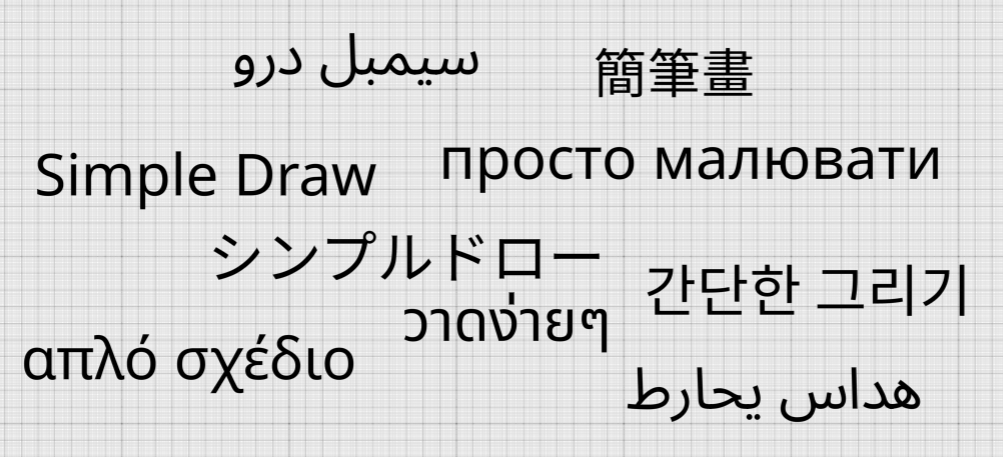
Text in SimpleDraw now works in many more languages
When I started building SimpleDraw, I was just looking to create an easy-to-use drawing tool for people like myself who wanted to create simple scale drawings on a computer, without having to learn to use sophisticated CAD packages.
I always hoped other people might find it useful, but I wasn’t really thinking about that happening on a global scale. So when it came to adding text labels to the product, I didn’t really notice that the approach I took would limit users to the basic Latin alphabet.
That was over a year ago now, and since then, SimpleDraw has been used by over 86,000 users in an incredible 224 countries and territories. Thanks to auto-translation in modern browsers, the application has been used in 76 different languages.
But when adding text to their drawings, many of users have been unable to use their native language.
I’m delighted to share that this has now changed. SimpleDraw can now display text in Chinese, Japanese, Korean, Arabic, Hebrew, Cyrillic, Greek, Thai, Vietnamese and many more writing systems, as well as accented letters such as é, ñ, ö and ł.
If you tried SimpleDraw before and found that you weren’t able to add text to your drawings in your own native language, please give it another try.
Some scripts and languages still have display issues
While we have made massive progress on the range of scripts that we support, there are many different languages in the world, and some use scripts with some unusual features, which mean we are still not able to display them correctly. The primary issue is with scripts where a vowel sign has to be moved or combined around the letter it belongs to — Hindi, Tamil and Kannada among them. Our page about text in non-Latin scripts lists every script I know is affected, shows what goes wrong in each, and explains why.
If you enter text in one of those scripts, SimpleDraw will let you know that there may be display issues.
If you use one of these scripts, I’d really like to hear how these limitations affect you. It’s quite a lot of work to correctly handle all these additional scripts, but if enough users are affected, then it’s definitely something that I will look at more closely.
A new font for everyone
As part of these changes, there were technical reasons to switch from our original font (Roboto), to the Noto Sans font. This is a fairly similar font, and I suspect most users won’t notice much difference. However text does come out a little wider, so you may notice a slight difference in some of your drawings.
If this does cause you any trouble, please let me know and I’ll work with you to sort it out. You can reach me on our Discord server, or see our contact page for other ways to get in touch.