
How to cancel your SimpleDraw subscription
How to cancel
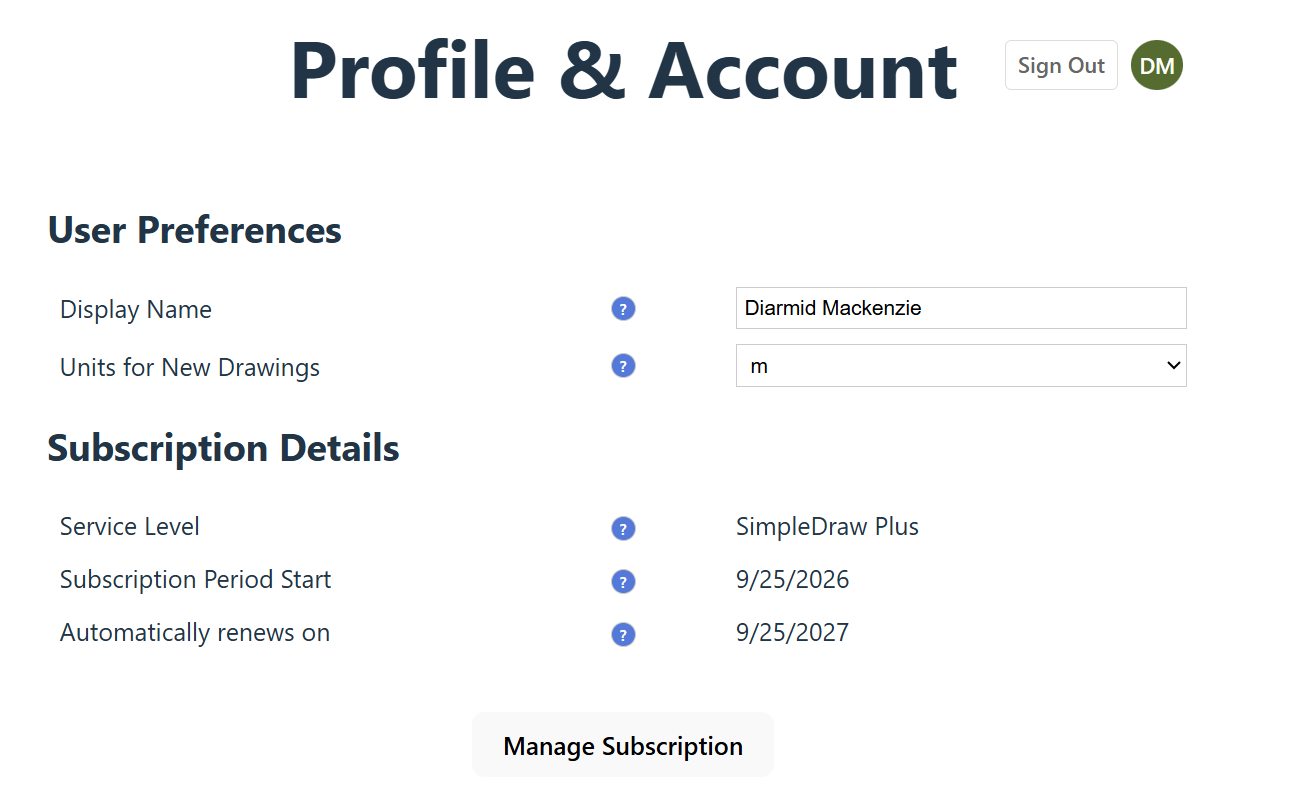
Open your profile and click Manage Subscription.
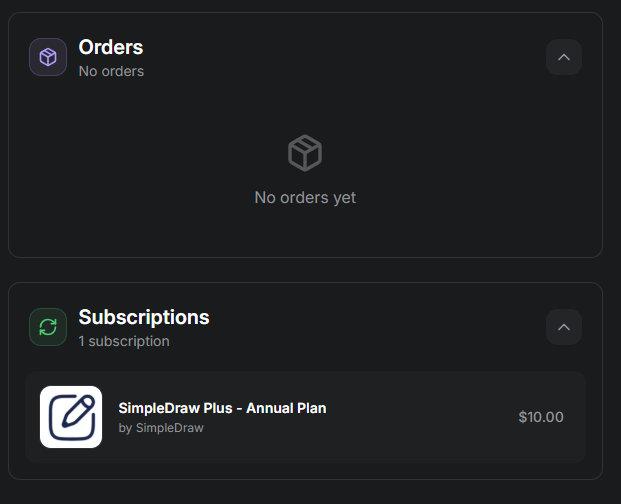
Go to your profile page at https://simpledraw.app/draw/profile and click Login if asked. If logging in takes you somewhere other than your profile, open that link again. (From the drawing screen on a computer, you can also click the round button with your initials, next to Sign Out; your profile opens in a new tab.) Under Subscription Details, click Manage Subscription.
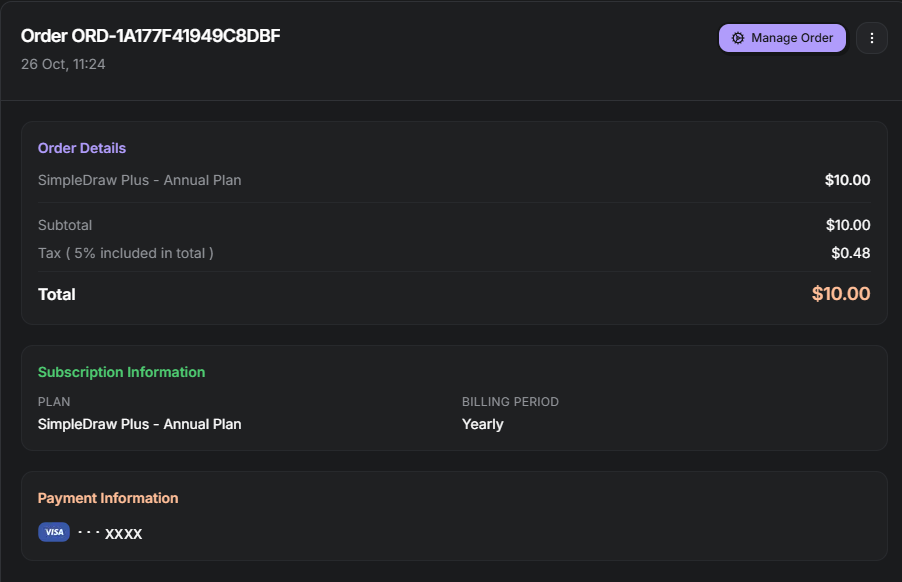
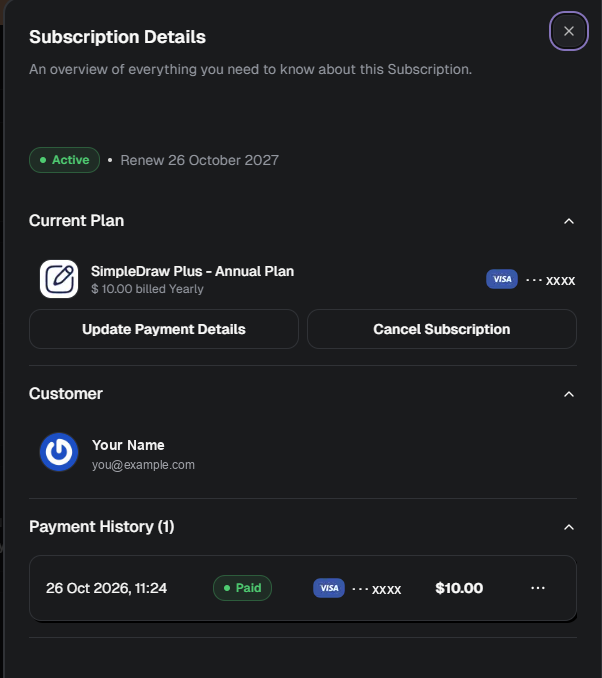
Manage Subscription opens your billing page, run by Stripe or Creem, whichever handles your payment. Choose the one that opens:
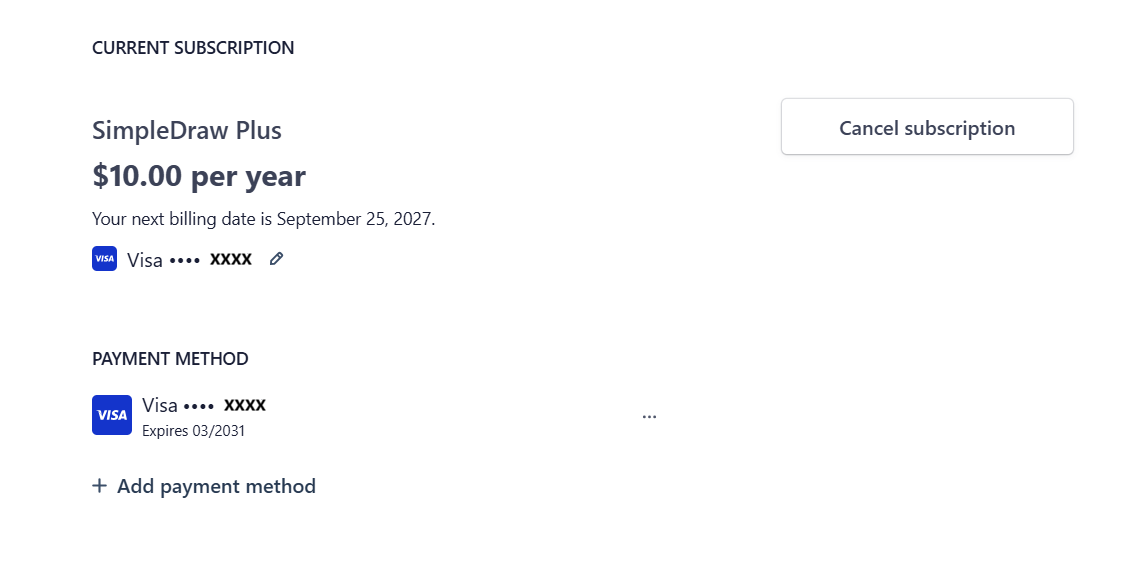
Click Cancel subscription.
Your billing page opens in a new tab. It is run by Stripe, who handle SimpleDraw's payments. Next to your current subscription, click Cancel subscription.
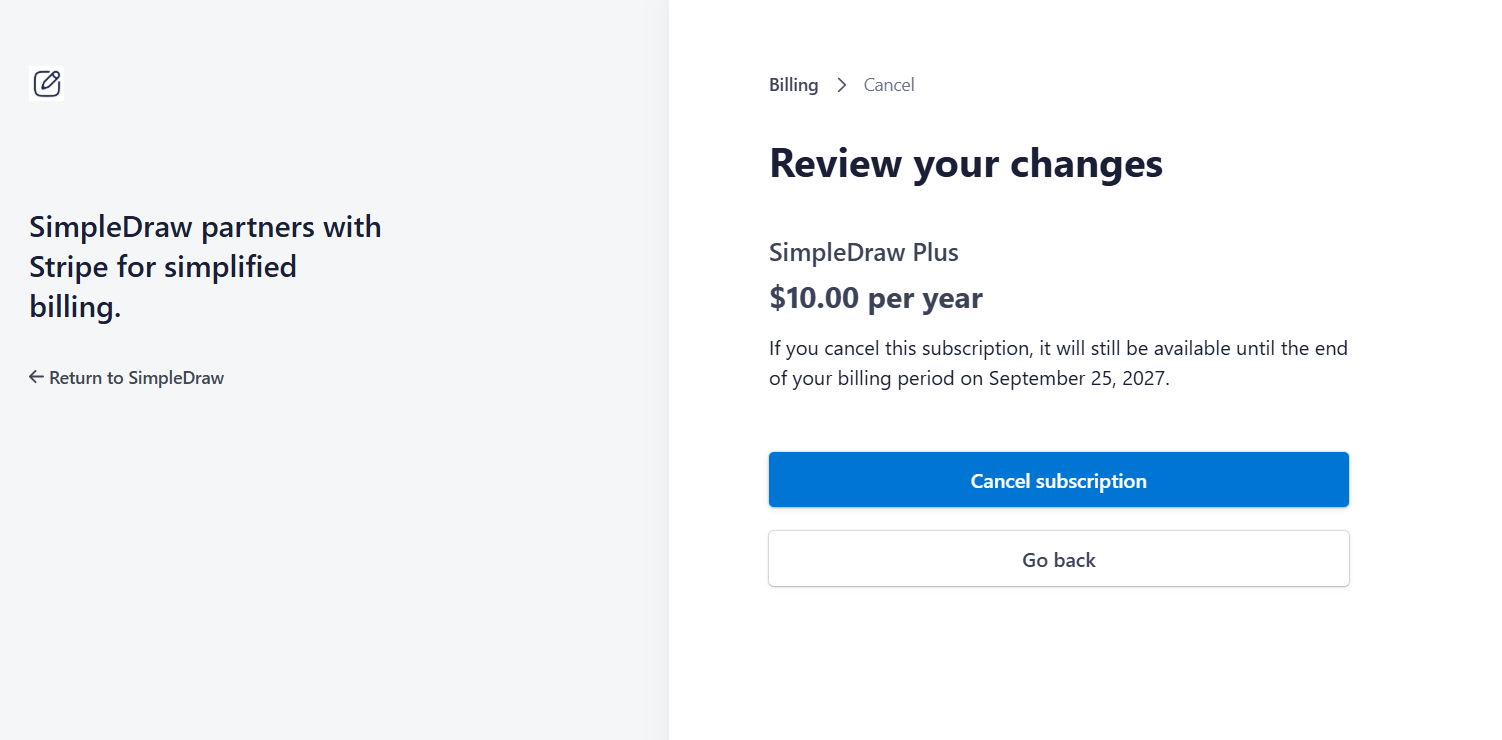
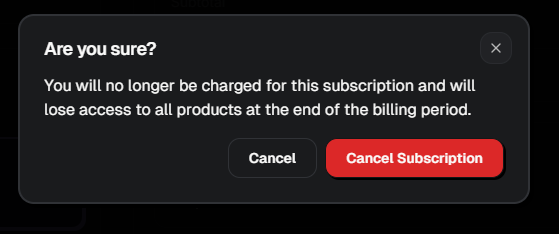
Confirm on "Review your changes".
The page shows the date your subscription stays available until. Click Cancel subscription to confirm.
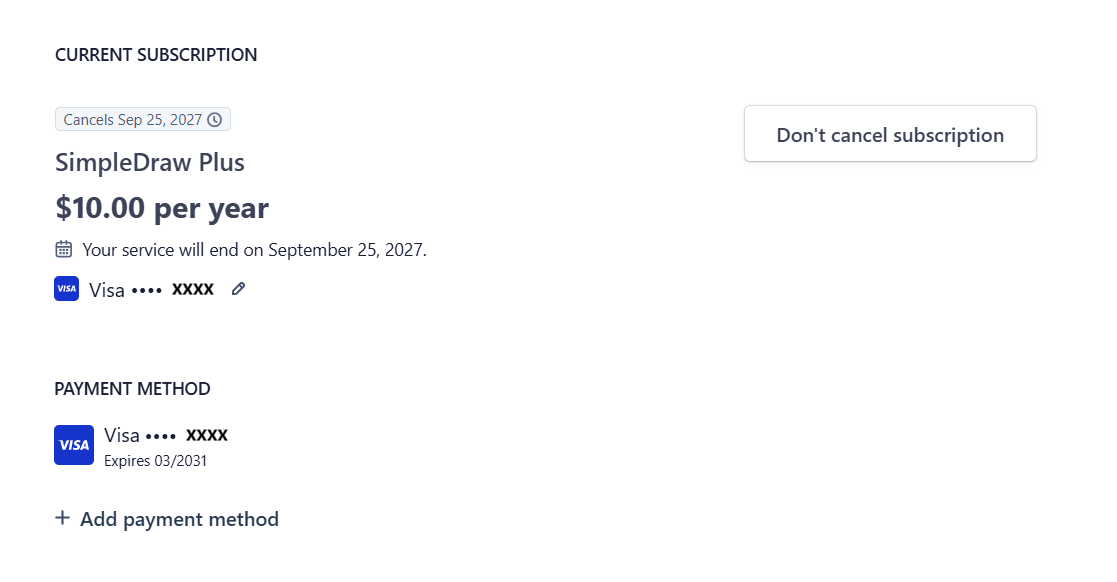
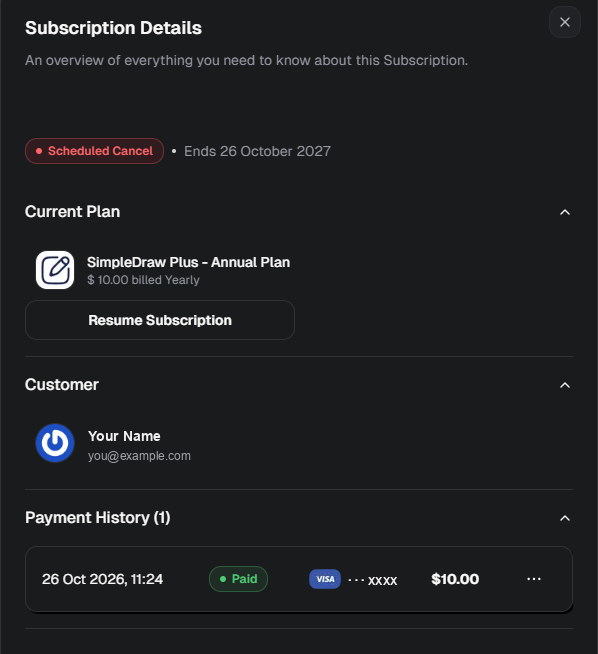
Result: your subscription is canceled.
The billing page now shows that your subscription is canceled, and the date your service ends. That is the end of the period you have already paid for. You will not be charged again.
What happens after you cancel
- You keep everything your subscription gives you until the end of the period you have paid for.
- After that, your account moves to the Free plan, unless you hold another plan that takes over, such as a pass that hasn't started yet, or Lifetime Plus. See what the Free plan includes.
- Changed your mind before the end of your paid period? The same billing page has a button to undo it: Don't cancel subscription on Stripe, or Resume Subscription on Creem.
Questions about your subscription? Contact us.